One System. Every Device.
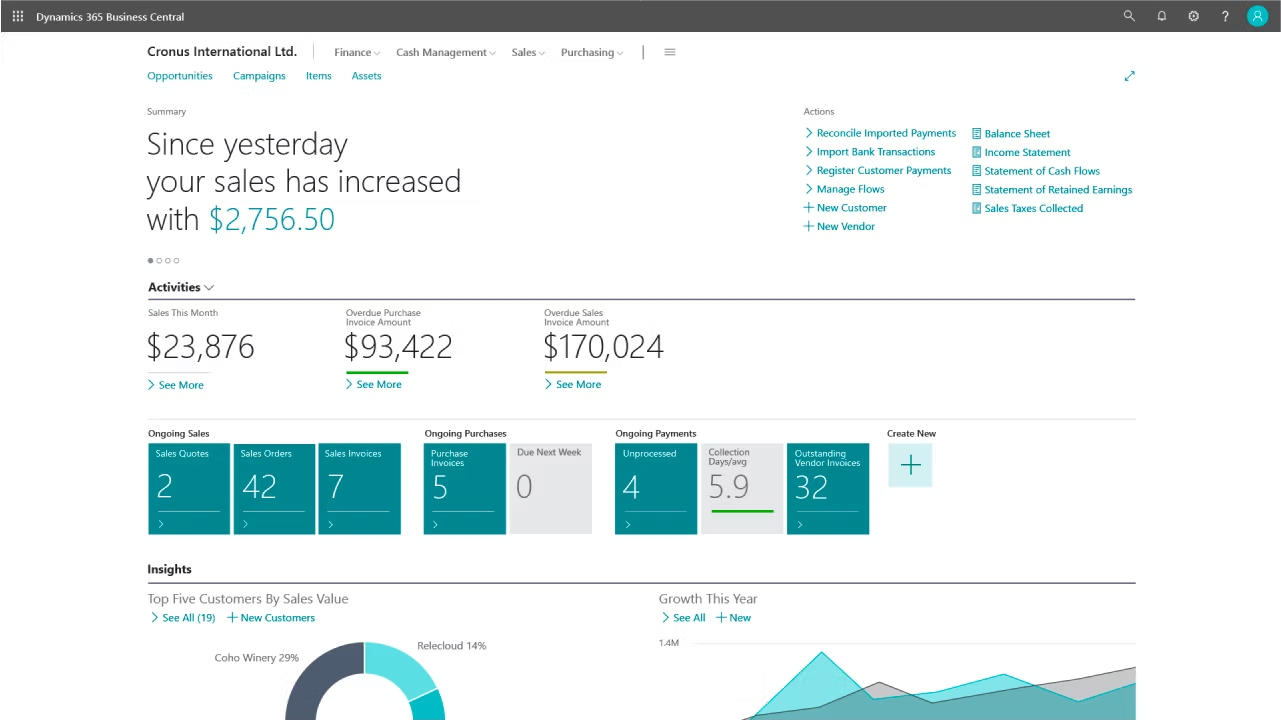
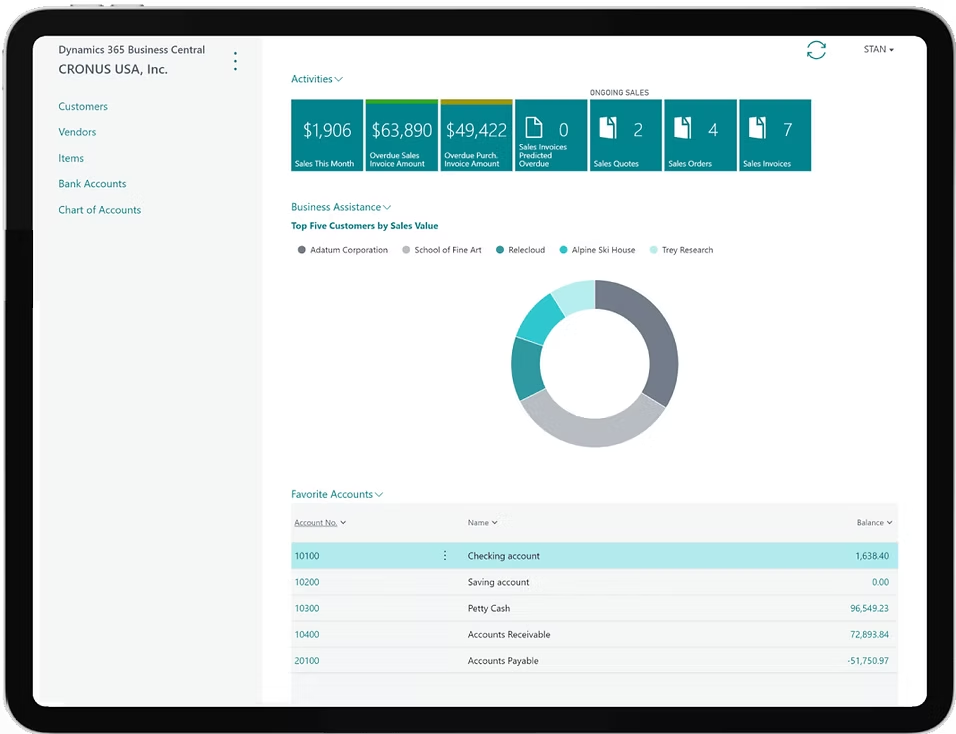
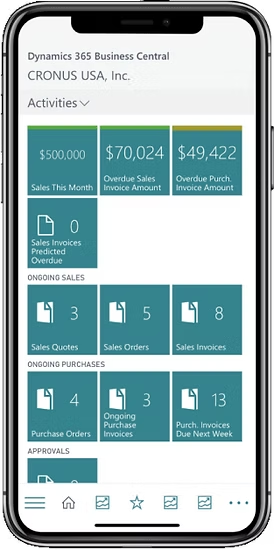
Access your finances, inventory, and operations from anywhere — Business Central works seamlessly across desktop, tablet, and mobile.
Complete Business Management in One Platform
Business Central brings your general ledger, accounts payable, receivable, VAT, bank reconciliation, and cash flow forecasting into one place. Finance teams stop chasing numbers across spreadsheets and start closing the books with confidence.
Key Features
- General ledger with dimensions and cost accounting
- Accounts payable and receivable with automated reminders
- VAT, tax management, and regulatory reporting
- Cash flow forecasting and bank reconciliation
- Multi-currency transactions and intercompany postings
- Subscription billing and fixed assets
Business Outcomes
- Close the books faster every month
- Stay compliant without manual effort
- See your real cash position at any moment
Microsoft Copilot in Business Central
Your ERP should do more than record what happened — it should help you decide what to do next. Microsoft Copilot is built directly into Business Central, not bolted on as an afterthought. It assists with reconciliations, invoice processing, sales suggestions, and instant data analysis using plain English, so every member of your team works faster from day one.
Chat with Copilot
Ask questions about your business data in plain English and get direct answers from inside Business Central. Find records, understand features, and complete daily tasks without leaving the screen you are working on.
Bank Reconciliation Assist
Copilot reviews unmatched bank statement lines, suggests the most likely ledger accounts, and improves transaction matching using dates, amounts, and descriptions. Finance teams reconcile accounts in a fraction of the usual time.
Sales Line Suggestions
Create sales quotes, orders, and invoices faster by describing what the customer needs in plain text. Copilot reads your input and suggests the right products, quantities, and pricing — reducing manual entry and lookup time.
E-Document to Purchase Order Mapping
When a vendor invoice arrives electronically, Copilot reads the line items and maps them to your existing purchase orders automatically. It cuts the time spent on manual matching and reduces the risk of posting errors.
Item Substitution Suggestions
When a requested item is out of stock, Copilot scans your item catalogue for close alternatives based on descriptions and attributes. Staff find suitable substitutes in seconds rather than searching manually.
Marketing Text Generation
Copilot drafts product descriptions for items you sell online, drawing from the attributes already stored in Business Central. Get brand-consistent, ready-to-publish copy at the click of a button.
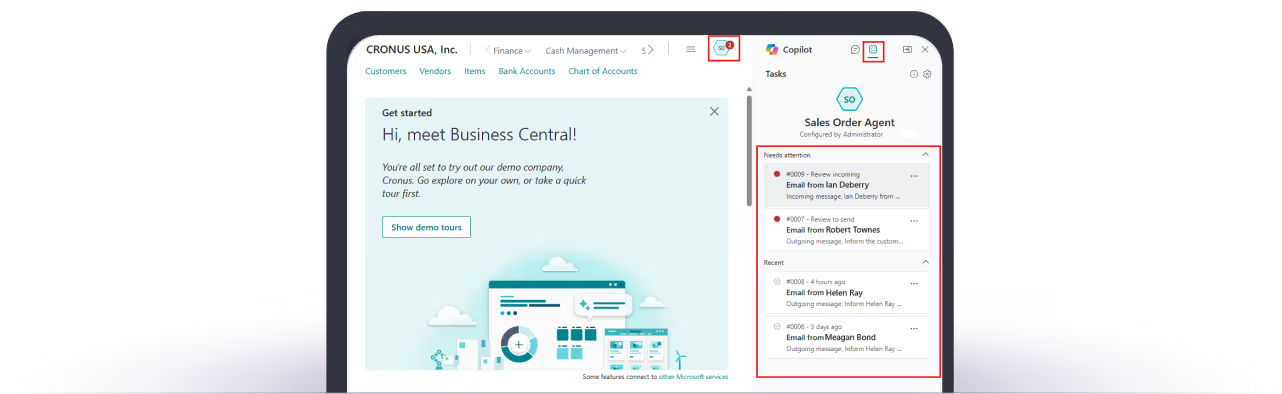
Sales Order Agent
The Sales Order Agent monitors incoming customer emails, identifies the customer in Business Central, and builds a draft sales order for review. It handles the entire capture process end-to-end, so your team approves rather than types.
Payables Agent
The Payables Agent monitors a designated mailbox for incoming vendor invoices, reads the content using AI, and creates draft invoice records for a supervisor to review and post. It removes the bottleneck of manual invoice entry from your accounts payable workflow.
Also includes:
Copilot in Business Central is included with your Business Central licence at no extra cost. All AI features operate within your existing user permissions — Copilot cannot access data your users cannot. Microsoft does not use your prompts or business data to train AI models without your explicit permission.
Microsoft Licensing
Transparent, predictable pricing from Microsoft. Choose the license tier that fits your team.
Prices shown are Microsoft 2026 UK list prices, billed annually. Contact us for partner pricing and volume discounts.
Get Started with Business Central
Guides, case studies, and insights to help you evaluate and get the most from Business Central.
The Complete Guide to Microsoft Copilot in Dynamics 365
A practical guide to activating and using Microsoft Copilot across Dynamics 365.
5 AI Automations Every Dynamics 365 User Should Deploy Today
Five practical AI automations you can deploy this week.
Business Central vs Finance & Operations
A clear comparison for mid-market businesses.
Questions about Business Central?
Straight answers. No fluff.
It is Microsoft's cloud ERP for small and mid-sized businesses. One system covers finance, sales, purchasing, inventory, projects, and operations — replacing the patchwork of spreadsheets and disconnected tools most growing businesses rely on. Microsoft Copilot is built in, so your team gets AI assistance without buying anything extra.
It is NAV's successor — rebuilt for the cloud rather than rebranded. Microsoft took the NAV foundation, redesigned the architecture, added Copilot, native Microsoft 365 integration, and a continuous update model that means you never face a major upgrade project again. If you are on any version of NAV from 2009 to 2018, Business Central is where you go next. NAV mainstream support ended in January 2023.
For finance, sales, and purchasing — the core modules most businesses start with — expect 8 to 12 weeks from kickoff to go-live. Projects with manufacturing, warehousing, or heavy data migration from a legacy system run 12 to 20 weeks. Our RapidStart programme gets straightforward businesses live in as little as one week with a fixed-scope, fixed-price approach.
They do not disappear — but they do need to be rebuilt. NAV customisations written in C/AL code are converted to Business Central extensions in AL, which are cloud-compatible and survive future updates without manual intervention. In practice, 40 to 60 percent of NAV customisations turn out to be unnecessary — Business Central handles them natively. The remainder get rebuilt properly. We assess every one before the project starts so there are no surprises mid-migration.
No. It runs in the cloud or on-premises. The cloud version is what Microsoft actively develops — it gets two major release waves a year, monthly updates, and full Copilot access. The on-premises version is available for businesses with specific data or infrastructure requirements but does not include AI features. Most UK businesses moving from NAV choose the cloud — lower infrastructure cost, automatic updates, and access from any device.
Learn More About Business Central
Your Introduction to Business Central
Analysis Assist with Microsoft Copilot
RapidStart - What is it?
Business Central User Interface Overview
Top 5 Reasons to Choose Business Central
A Walk Through Dynamics 365
Video embed functionality available. Add YouTube links to enable playback.